LinkedIn Retargeting Guide: How to Build Audiences That Convert
When it comes to B2B advertising, LinkedIn retargeting is a non-negotiable.
LinkedIn converts at almost 4x the rate of other social media platforms, but success ultimately comes down to targeting prospects that are high-quality and high-intent.
The platform’s higher CPCs can make top-of-funnel campaigns difficult on LinkedIn, but that is not the case with retargeting. It allows you to layer LinkedIn audiences to target only the highest quality leads who have already engaged with your brand, helping improve conversion rates enough to justify the platform’s higher costs.
In this guide, we break down how we build LinkedIn retargeting audiences using high-intent behavioral signals and the strategies behind campaigns that nearly tripled leads and reduced CPLs by up to 70%.
In this article, we cover:
- Types of retargeting audiences on LinkedIn and when to use them
- How to structure lookback windows and exclusion audiences
- How to build high-intent retargeting audiences step by step
- The strategies we use to turn retargeting into pipeline
Key Takeaways
- LinkedIn retargeting works because it focuses on high-intent users, not cold audiences, using behavioral signals like website visits, ad engagement, and conversion actions.
- The highest-performing audiences use first-party and conversion data, including website visitors, Lead Gen Form engagement, and Conversion API events, with segmentation by lookback window to match user intent.
- Strong performance depends on filtering and structure, using exclusion lists to remove low-quality or converted users and combining multiple audience types to scale effectively.
- Retargeting campaigns convert through tailored creative and testing, aligning offers to funnel stage, rotating ad formats, and continuously optimizing messaging based on audience behavior.
Types of LinkedIn Retargeting Audiences
LinkedIn provides several types of matched audiences you can retarget, including website visitors, company page audiences, conversion API audiences, and ad engagement audiences. While all have their own benefits, it’s important to segment your audiences by lookback window, creating 14-, 30-, 60-, 90-, 180-, and 365-day variations for each type when available.
Below are the main types of LinkedIn retargeting audiences you can build, along with a few tips on when and how to use them effectively.
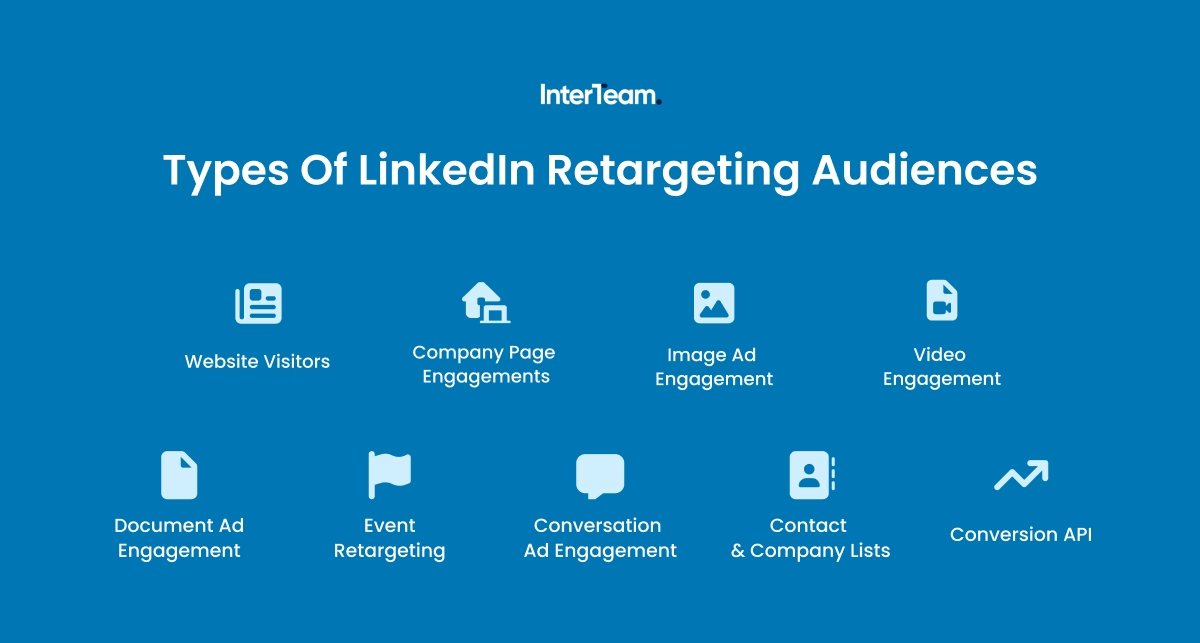
Website Visitors
Website visitor audiences allow you to retarget users who previously interacted with your website. Since they rely on data generated through your site, these are often some of the highest-converting audiences on LinkedIn.
Website retargeting audiences require the LinkedIn Insight Tag to be installed on your site. You can do this through Google Tag Manager or by adding code directly to your site header. However, the Insight Tag only starts building audiences from the day it is created and requires at least 300 matched member accounts to activate.
Once you have enough data, audiences can be created based on website activity. LinkedIn allows for four types of website retargeting audiences:
- All website visitors – Everyone who visited any page on your site
- Specific page visitors – People who visited particular URLs (pricing page, product page, case study page)
- Custom URL rules – Match URLs containing specific strings (e.g., all pages containing “/product/” or “/pricing/”)
- Button Clicks - People who clicked specific elements on your website, filtered by button text
At InterTeam Marketing, we focus our LinkedIn retargeting campaigns on high-intent page visitors. These include users who visited pages that show clear purchase intent, such as pricing, demo, free trial, or case study pages.
This allows us to avoid low-intent traffic and concentrate ad spend on users who are more likely to convert, helping generate more leads at lower CPLs.
Company Page Engagements
LinkedIn also lets you retarget audiences that previously interacted with your company page. These are users who have shown specific interest in your company, making them valuable prospects to re-engage.
At InterTeam Marketing, we create retargeting audiences based on the following two behaviours:
- People who visited your organization's page
- Visitors who clicked a call-to-action button in the header of your LinkedIn Page
By creating audiences for both actions, we are able to customize messaging, reach users, and track performance based on their specific actions.
While not as high intent as website audiences, this type of retargeting audience is effective for driving remarketing engagement.
Image Ad Engagement
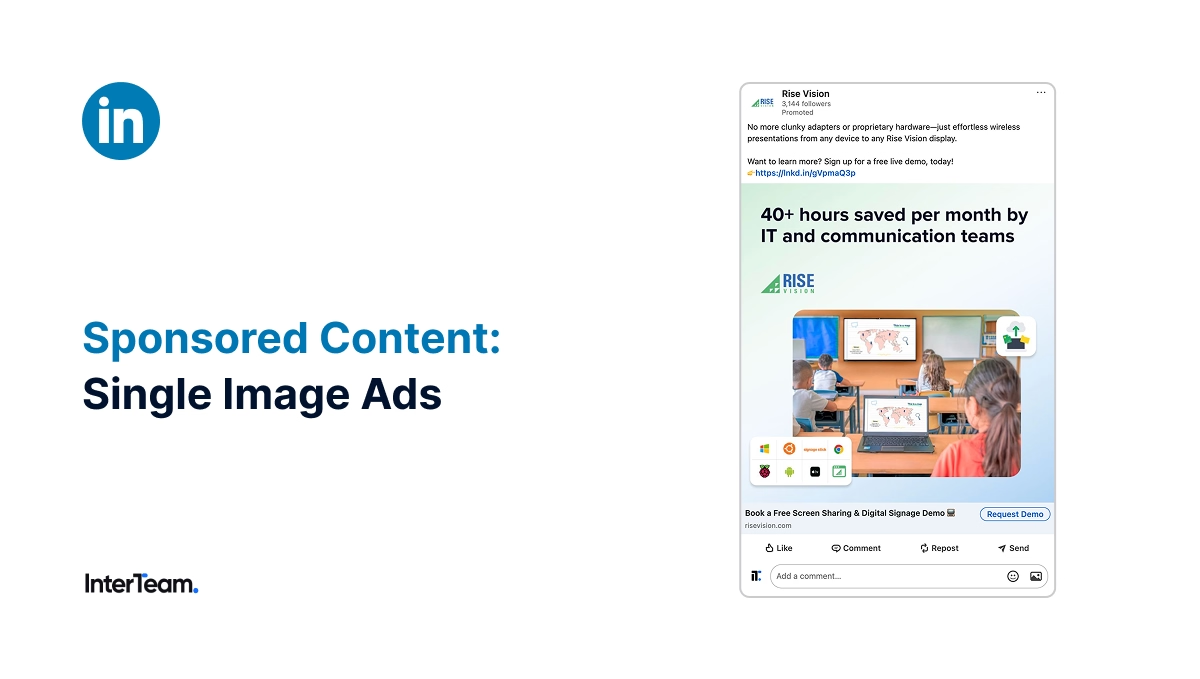
LinkedIn also lets you build audiences of users who previously engaged with specific ad formats, including Image Ads.
You can create Image Ad Audiences based on two types of engagement:
- Any interaction – Includes users who engaged with the ad (likes, shares, and other interactions)
- Chargeable clicks – Users who clicked the ad and took a measurable action
For higher-intent targeting, we recommend prioritizing chargeable click audiences, as these users show clear interest in your ad. However, any interaction audiences are still useful for expanding reach and supporting broader retargeting efforts.
Video Engagement
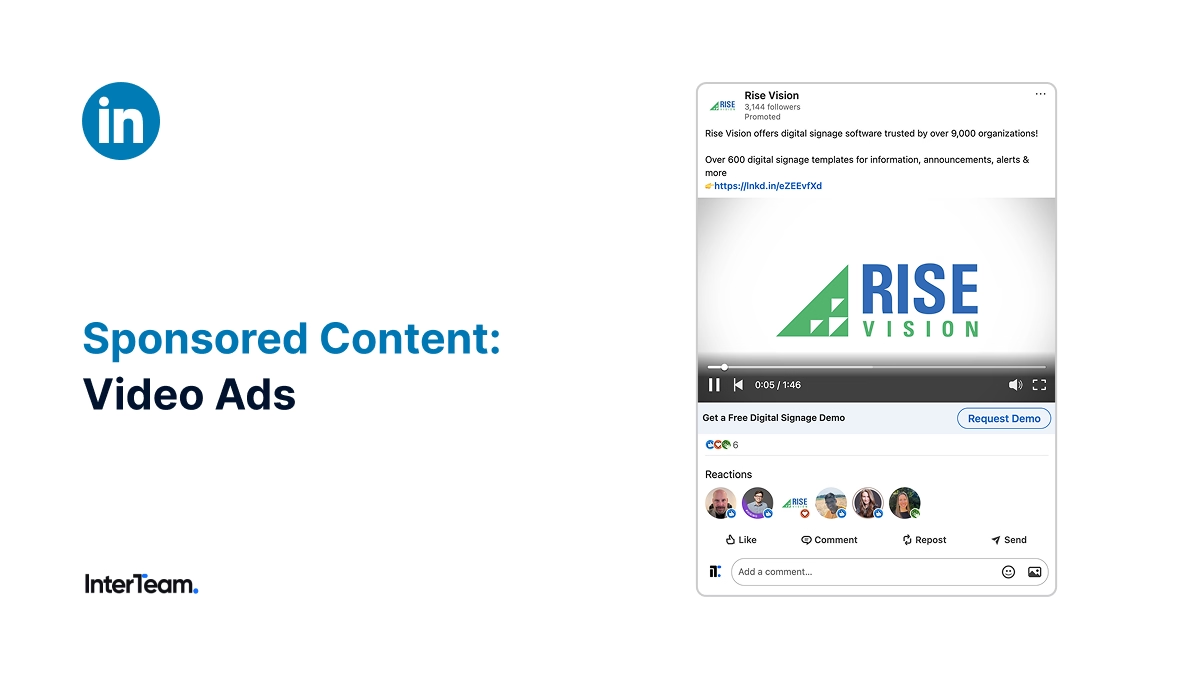
Video engagement audiences let you retarget users based on the percentage of the video they watched.
Generally, the higher the percentage, the higher the intent.
- 25% viewers – Low intent. Good for broader retargeting and awareness-focused messaging.
- 50% viewers – Moderate intent. Retarget with more product-focused messaging and value props.
- 75%+ viewers – High intent. These users are engaged and strong candidates for conversion-focused campaigns.
- 97% viewers – Highest intent. These users watched nearly the entire video and should be prioritized for direct offers.
Obviously the longer a person views a video, the higher the intent, but the length of the video also matters. Watching 50% of a 20-minute video shows much higher intent than watching 50% of a 1-minute video.
By segmenting audiences based on view percentage and video length, you can align your retargeting strategy with user intent across the funnel.
Document Ad Engagement
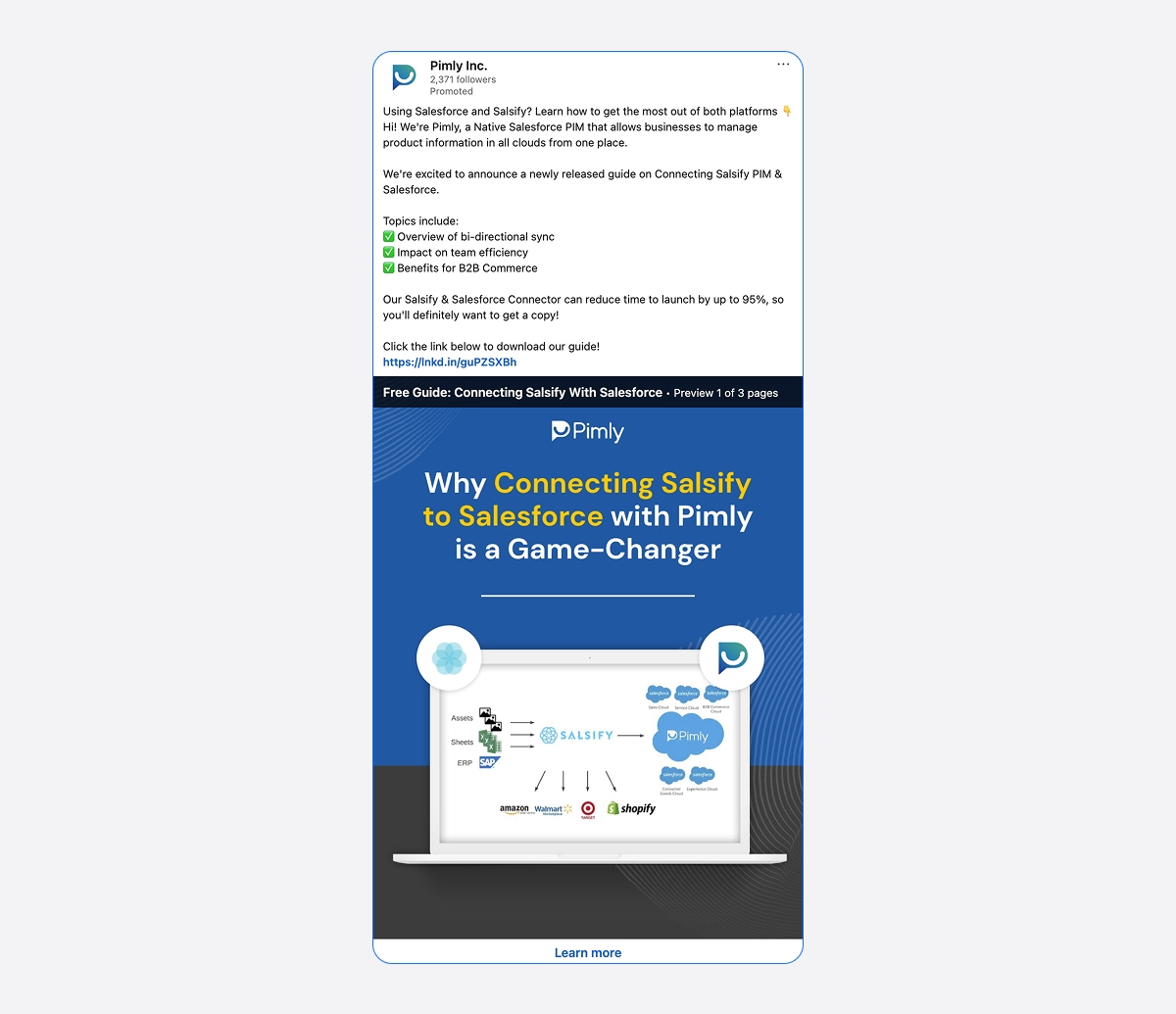
Document Ads are particularly effective for capturing high-intent engagement, especially when paired with lead magnets or gated content.
With this engagement signal, you can create two types of audiences:
- Document ad engagement – Users who engaged with your document ad
- Document ad chargeable clicks – Users who performed a chargeable click on the document
At InterTeam Marketing, we typically combine Document Ads with LinkedIn’s Lead Gen Forms. While Document Ad engagement audiences can be useful for targeting specific interactions, we rely more on Lead Gen Form engagement as a stronger intent signal.
Lead Gen Form Engagement
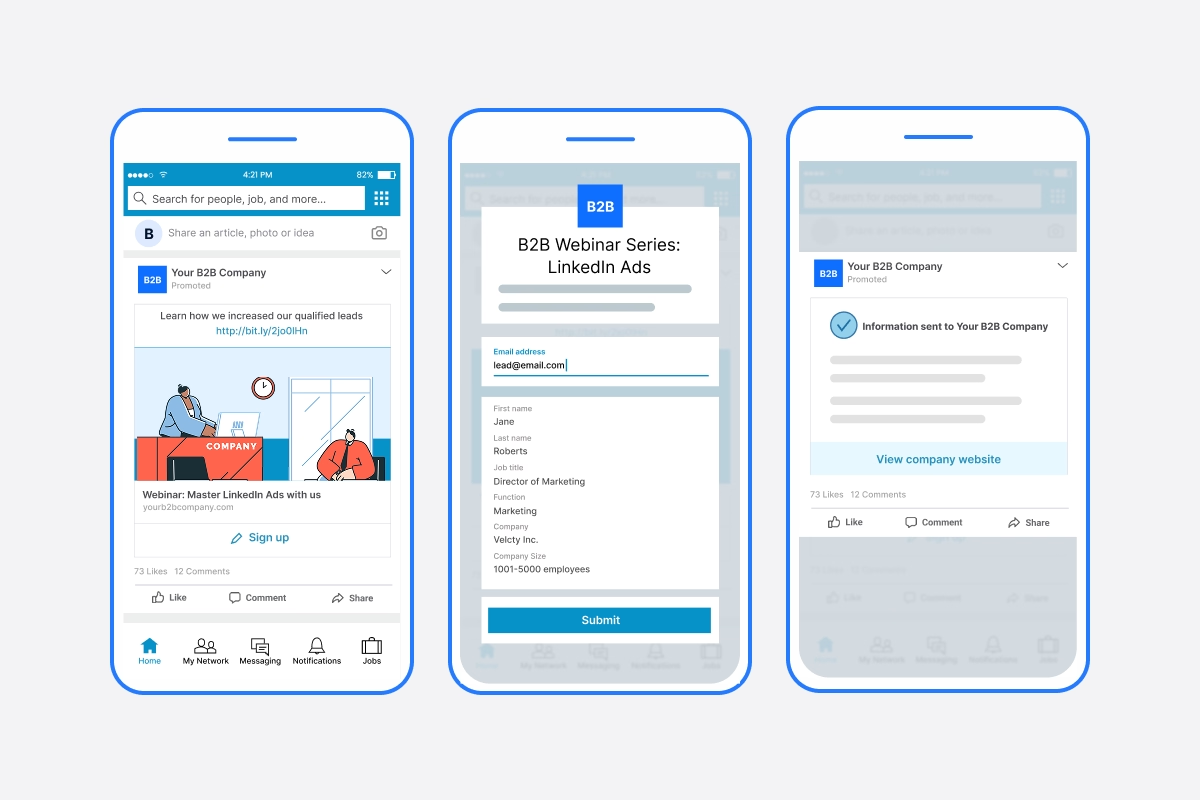
Many LinkedIn ad formats can be integrated with the platform’s native Lead Gen Forms, making Lead Gen Form engagement a powerful signal for building retargeting audiences.
LinkedIn allows you to build audiences based on the following types of Lead Gen Form engagement:
- Form openers – Users who clicked the ad and opened the form
- Form submitters – Users who submitted their contact information
These engagement types create two distinct audience segments. Users who submit a form can move to the next stage of your sales cycle and be added to your exclusion lists, while users who open the form but do not submit have shown high intent, making them ideal for retargeting.
Conversation Ad Engagement
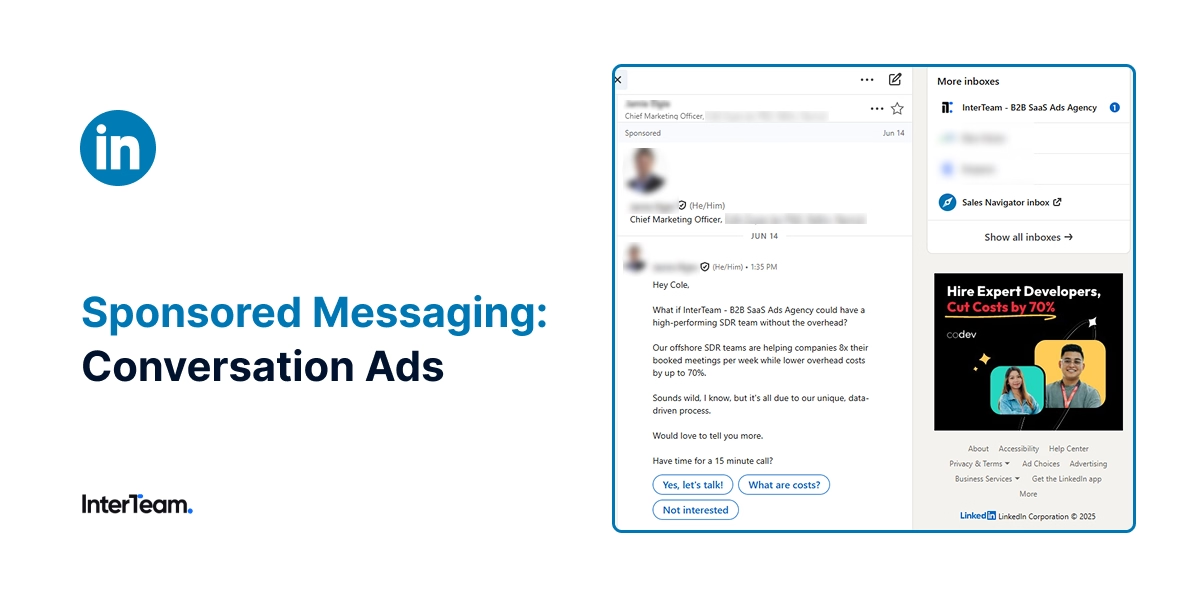
Conversation Ads are another ad format you can build engagement audiences from. This type of retargeting allows you to build audiences based on two types of engagement:
- Opened a conversation – Users who opened the conversation message but didn’t take action
- CTA clicks – Users who clicked on a call-to-action within the conversation
For Conversation Ads, CTA clicks are the highest intent signal for building retargeting audiences. These are users who clicked through the ad's conversation thread and chose to take the next step.
Contact & Company Lists
The final way to build retargeting audiences on LinkedIn is by uploading contact or company lists. These can come from your CRM or be uploaded manually as matched audiences.
This allows you to target or exclude specific users based on known data, such as email addresses or company names.
At InterTeam Marketing, we use these audiences mainly for exclusions by uploading lists of current customers, employees, and known competitor contacts. This helps prevent wasted ad spend and keeps campaigns focused on new prospects.
Conversion API
While website audiences allow you to retarget users based on URL-based rules, Conversion API audiences allow you to build audiences based on triggers made through an API with other platforms.
This type of audience requires data from third-party tools. The most common are CRM platforms like HubSpot and Salesforce, but data can come from any source that can be integrated through Zapier or a similar tool.
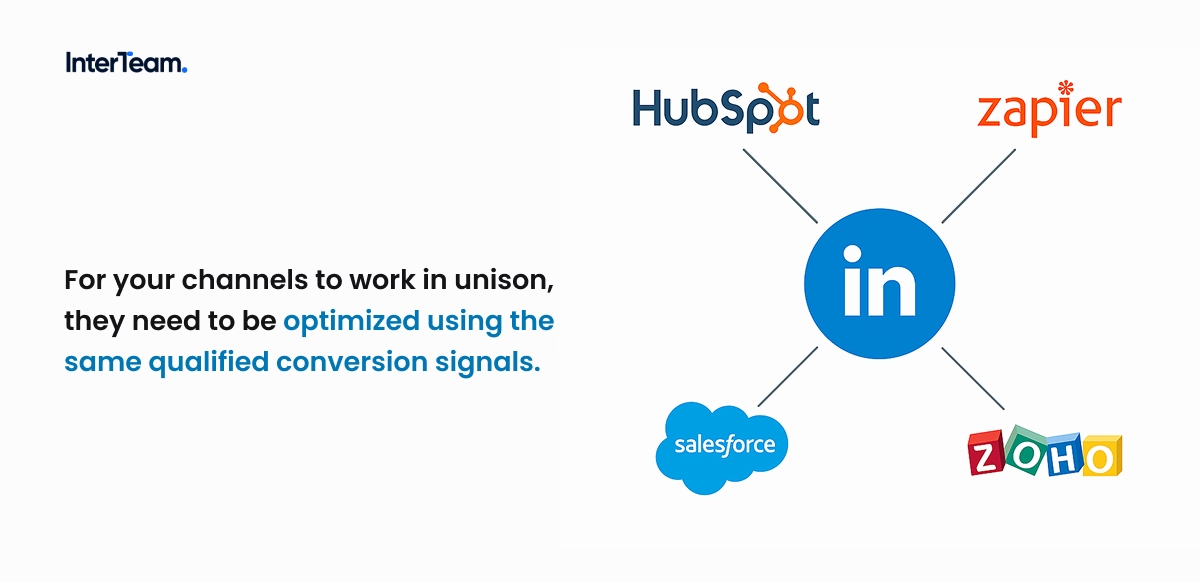
Once set up, Conversion API audiences allow you to send events when certain actions occur, enabling you to retarget lifecycle-based audiences such as leads, MQLs, opportunities, and customers.
These types of audiences become critical for both retargeting and exclusion lists.
Event Retargeting
When you create an event on LinkedIn, you can build retargeting audiences based on member accounts that selected to attend your event. This includes both upcoming and past events.
These audiences can be especially valuable for planning post-event follow-ups or running strategic retargeting campaigns.
Keep in mind, these audiences don’t just include members who attended the event, but anyone who RSVP’d, even if they didn’t ultimately attend.
Building Exclusion Audiences
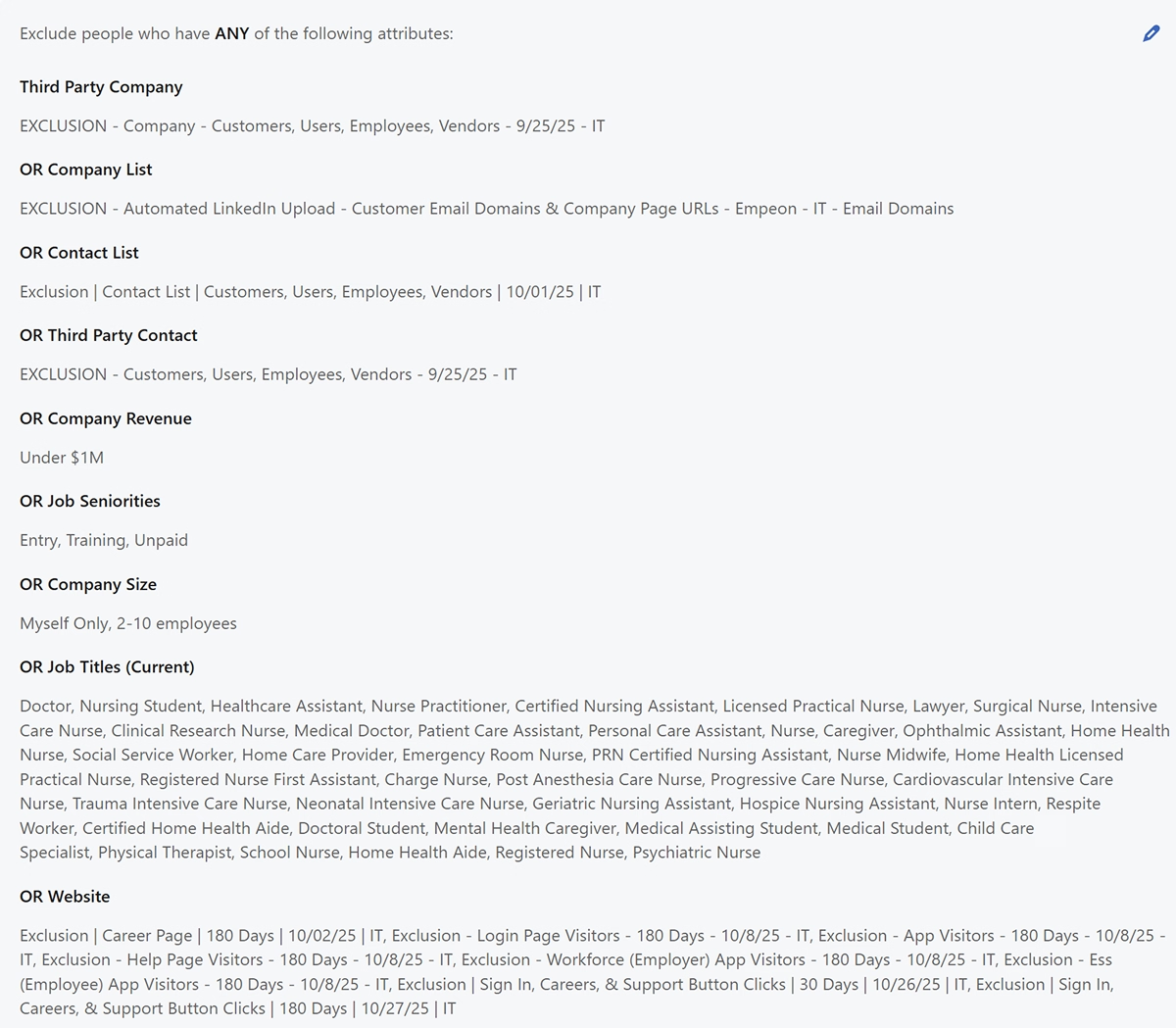
Regardless of the type of retargeting audiences you build, you should always apply exclusion audiences. Not all engagement signals indicate high intent, and exclusions are an easy way to avoid targeting unqualified users.
At InterTeam Marketing, we integrate three core types of exclusion audiences into every campaign and apply multiple lookback windows to ensure coverage across different stages of the funnel. From there, we continue to refine and expand exclusions as more data comes in.
Contact and Company List Exclusions
The first set of exclusions we apply is users associated with the business.
These include:
- Customers
- Employees
- Partners
- Competitor employees
Funnel-Based Exclusions
We then add funnel-based exclusions to avoid showing retargeting ads to users who have already converted or are further along in the sales cycle.
These include:
- Lead form submitters
- Thank you page visitors
- Customers or unqualified leads (Conversion API)
Low-Intent Traffic Exclusions
The final layer of exclusions we apply targets low-intent traffic.
These typically include:
- Careers page visitors
- Login page visitors
- Support or help page visitors
- Affiliate or partner traffic
These are the exclusions we always start with, but a strong exclusion strategy comes from continuous testing. Monitor performance across audiences and add low-quality segments to your exclusion lists as data becomes available.
How To Create Retargeting Audiences on LinkedIn
Setting up retargeting audiences on LinkedIn is extremely easy. If you are running website audiences, the main step is to install the LinkedIn Insight Tag.
After that, retargeting audiences can be created the same way as any other type of audience. Follow the steps below or watch the video for a complete walkthrough.
- Install the LinkedIn Insight Tag (for website audiences)
- Navigate to the Audience tab in Campaign Manager and click “Create Audience”
- Select Matched Audiences
- Choose your audience source and set your lookback window
- Repeat steps 2–4 to create all retargeting audiences
- Repeat steps 2–4 to create exclusion audiences
How to Build High-Converting Retargeting Campaigns
Once your retargeting audiences are built, the next step is planning creative that actually converts. Ad creative for retargeting is very different from what works for cold audiences, but you also have much stronger data to guide your messaging.
Here are a few best practices we use at InterTeam to create LinkedIn retargeting campaigns that convert.
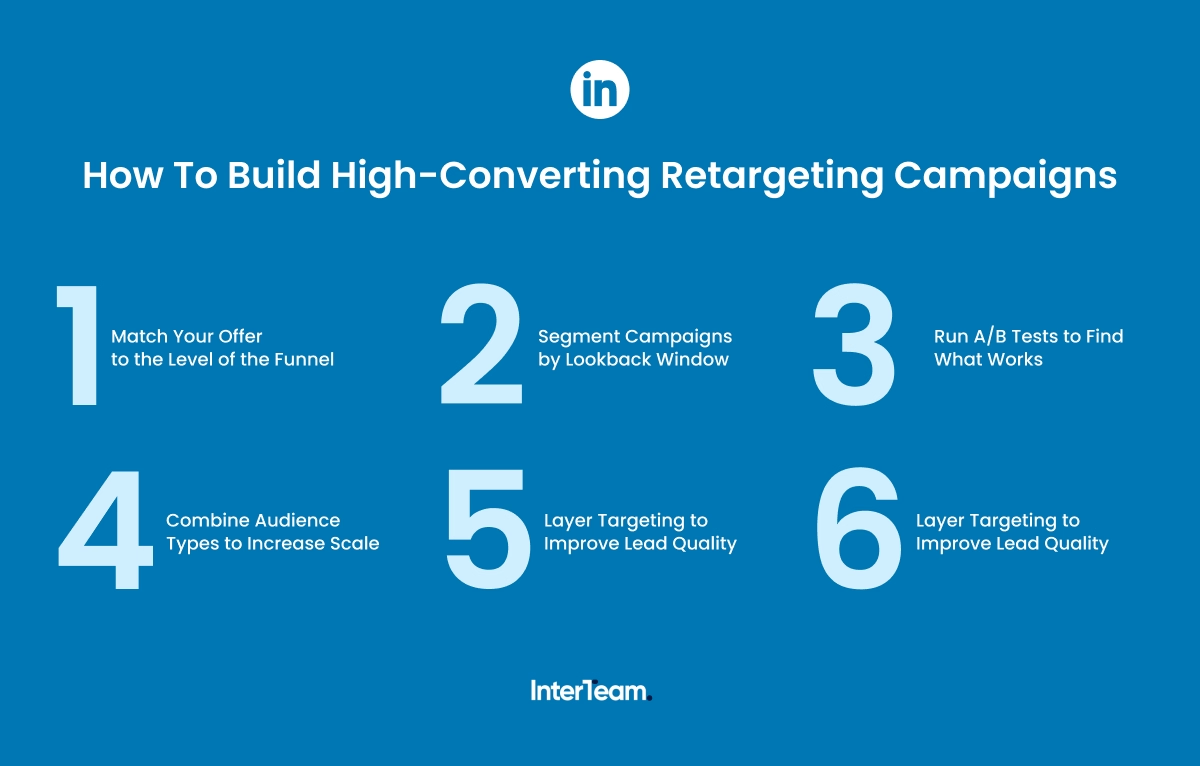
1. Match Your Offer to the Level of the Funnel
With retargeting audiences, your creative should reflect the user’s previous interaction. This means aligning your offer with where they are in the sales cycle.
For example, broader audiences like all website visitors should be shown a creative that reinforces your value. On LinkedIn, this often looks like image or video ads highlighting your product or showcasing testimonials.
Meanwhile, bottom-of-funnel users, such as high-intent page visitors, should receive more direct offers. These users are closer to converting and should see creative designed to drive demo bookings or free trial sign-ups.
2. Segment Campaigns by Lookback Window
With B2B advertising, intent often decays over time. That’s why it’s important to segment your retargeting ads by lookback window and adjust your messaging accordingly.
- 15–30 days – High urgency. These users are actively evaluating solutions and should be met with direct offers.
- 60–90 days – Moderate intent. Use reminders and reinforce your value proposition.
- 180+ days – Low intent. Reintroduce the problem and position your solution.
3. Use Multiple Ad Formats to Maintain Engagement
Using a variety of ad formats is critical for retargeting campaigns, especially with longer B2B sales cycles. By rotating creative, you can maintain engagement and avoid ad fatigue while nurturing prospects in different ways. Here are some of our preferred formats for LinkedIn retargeting:
- Video and Image Ads – Ideal for showcasing B2B SaaS products and client testimonials
- Document Ads – Effective for capturing high-intent form fills using lead magnets
- Conversation Ads – Best suited for bottom-of-funnel offers like demo bookings or meetings
- Lead Gen Forms – Reduce friction by capturing leads directly on LinkedIn without requiring a landing page
4. Combine Audience Types to Increase Scale
In many cases, a single retargeting audience won’t provide enough scale to run effective campaigns. To increase reach, you should combine multiple audience types into a single campaign.
By layering audiences like website visitors, video viewers, and Lead Gen Form engagement, you can expand your reach while still targeting warm, relevant users.
5. Layer Targeting to Improve Lead Quality
Along with using past engagement signals to build your retargeting audiences, you should also layer in LinkedIn’s native targeting filters. These include job titles and job functions for users that match your ICP.
At the same time, you can use these filters to exclude low-intent segments. These include:
- Job seekers
- Low-seniority roles
- Unqualified job functions (e.g., Sales)
6. Run A/B Tests to Find What Works
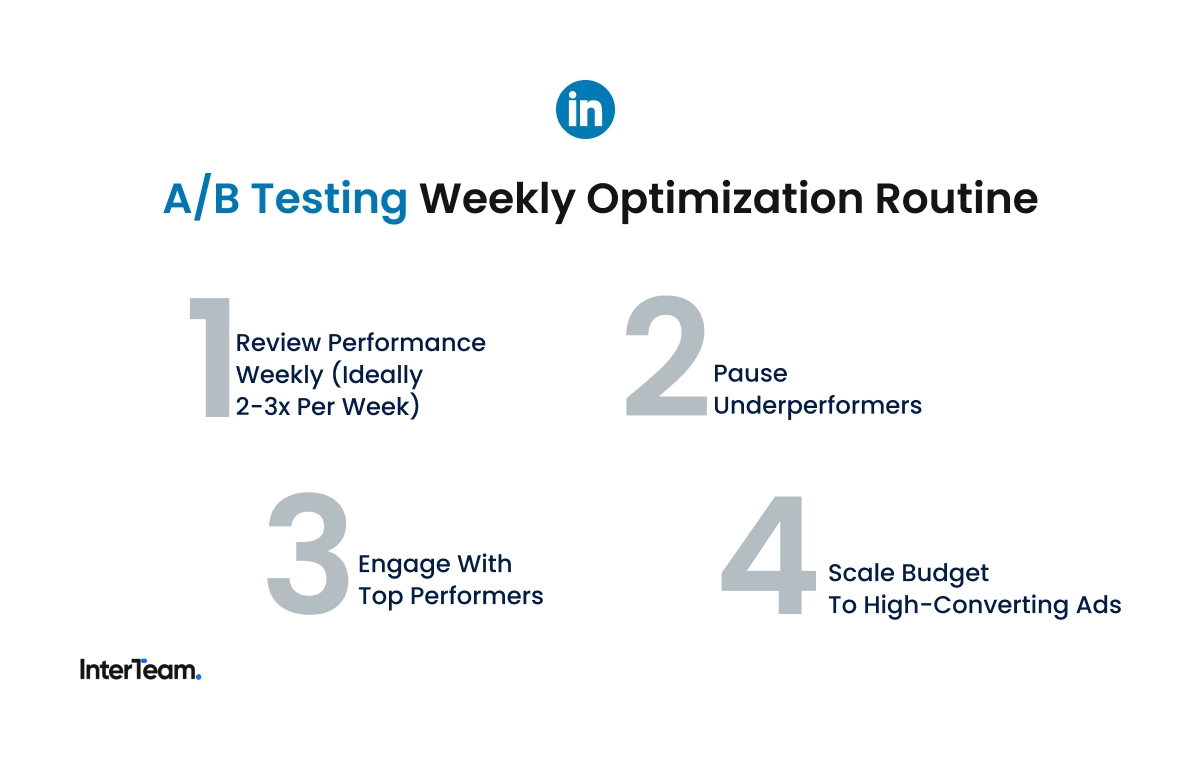
The only way to consistently optimize retargeting campaigns for conversions is through A/B testing. Launch multiple variations of each ad and monitor performance, pausing those that fail to produce results.
Some A/B tests we run include:
- Headlines
- Description copy
- CTAs
- Ad formats (image, video, document)
For more help, you can review our guide on How To A/B Test LinkedIn Ads For Better Performance.
Real Results from LinkedIn Retargeting Campaigns
Successful LinkedIn retargeting campaigns can lower cost-per-lead (CPL) and shorten sales cycles. At InterTeam Marketing, we’ve used retargeting to reduce sales cycles from over a year to under a month while significantly lowering customer acquisition costs.
Don’t believe us? Here are results from real campaigns:
- Google and LinkedIn Ads for AI Software – 119 qualified leads and $60,000 in pipeline generated within 2 months
- Multi-Channel Performance Marketing Case Study – $100,000 in pipeline generated at 87% lower CPL
- PPC For Healthcare SaaS Case Study – 7x increase in opportunities at 42% lower CPL
- B2B SaaS Lead Generation Case Study – 218% increase in conversion rates and 5% lower CPL
Work With a LinkedIn Ads Expert
Through retargeting campaigns, we’ve helped B2B SaaS clients cut CPLs by up to 87% while reducing sales cycles to under a month. We can do the same for you.
Book a free strategy call and let’s build a retargeting strategy that scales your pipeline.
FAQs
Template question
Template text answer



Want to see if paid ads would work for your business?