How to Do Keyword Research for Google Ads (The Right Way)
Most Google Ads campaigns don't fail because of bad ad copy. They fail because of bad keyword research.
Pick the wrong keywords and it doesn't matter how sharp your headlines are or how clean your landing page looks. You're paying for clicks from people who were never going to buy. Pick the right ones and you're showing up at the exact moment a qualified buyer is actively looking for what you sell.
This is a practical guide to Google Ads keyword research: what it is, why it matters, and exactly how to do it. We'll cover the tools we use with real clients and the mistakes we see even experienced advertisers make.
Why Keyword Research Is the Foundation of Every PPC Campaign
The importance of keyword research in a PPC campaign is often underestimated. Advertisers focus on bids, budgets, and creative, and treat keywords like an afterthought. That's a costly mistake.
Every dollar you spend in Google Ads campaigns is attached to a keyword. Your keyword determines who sees your ad, what they were looking for when they saw it, and whether they click with any intention of buying. Get that wrong and you're not running a campaign. You're running a very expensive experiment.
Good PPC keyword research is important for three reasons:
- It puts your ads in front of buyers, not browsers - A searcher typing "nonprofit donation software pricing" is fundamentally different from one typing "what is a donation form." The first is evaluating vendors. The second is educating themselves. Only one of them should be clicking your ad.
- It protects your budget - Every irrelevant click is wasted spend. Keyword research, done correctly, builds the negative keyword lists that stop those clicks before they happen.
- It determines your Quality Score - Google scores every keyword in your account based on ad relevance, expected click-through rate, and landing page experience. Higher Quality Scores mean lower CPCs and better ad positions. It all starts with choosing keywords that genuinely match what your audience is searching for.
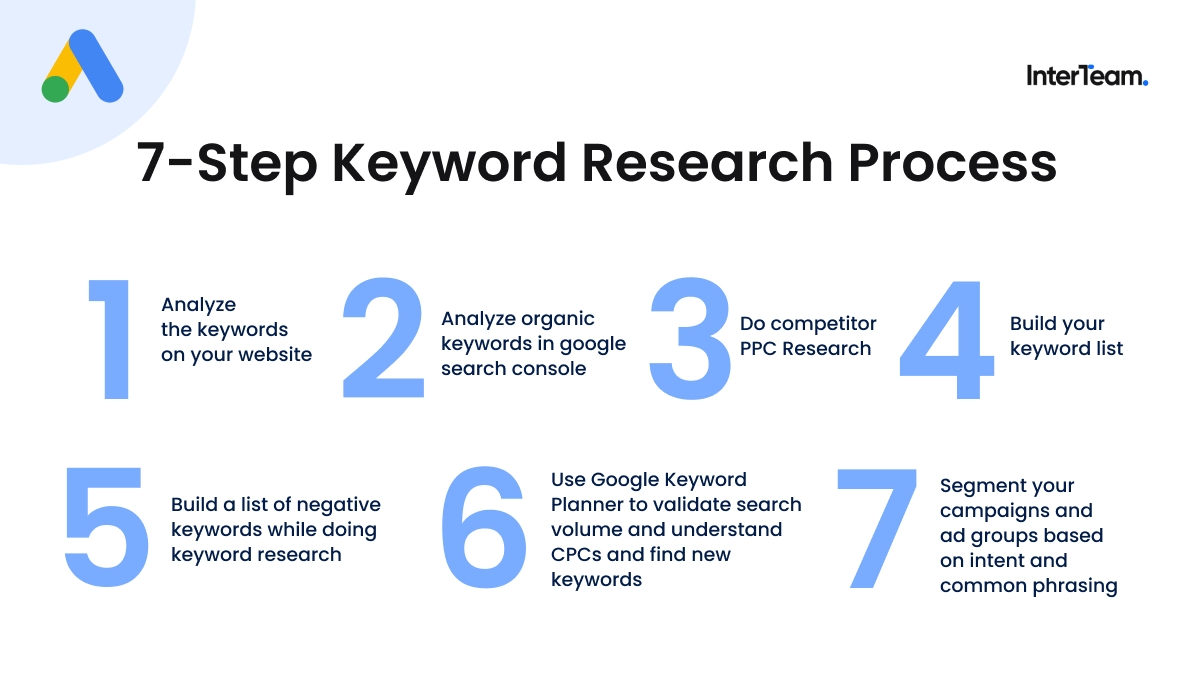
Step 1: Start By Analyzing the Keywords on Your Website
Before you start looking through keyword stats, open your website and analyze what kind of keywords are actually being used in the copy on your pages. This sounds obvious, but it's a step a lot of people skip and it’s very important, especially if you’re an outside contractor who may not have as much brand familiarity.
Most companies are explicit about their services on their homepage, particularly in the hero section. That language should be your starting point because you’ll want the keywords you’re targeting and the copy on the pages to be aligned for a good ad experience. If their headline reads "Online Donation Platform for Nonprofits," you'll want to start looking into those kinds of keywords when doing keyword research.
I suggest investigating the home page and the different product pages. Each of these pages could be a potential campaign segment with its own keywords to target and its own landing page, so it’s a great place to start.
Step 2: Analyze Organic Keywords in Google Search Console
Once you’ve audited the website and feel you have a good understanding of the services, you’ll then want to analyze organic keyword data in Google Search Console. Google Search Console is a tool that SEO professionals use to analyze how often your website listing is being shown, how often people click on your listing and where you rank in the results for different search queries.
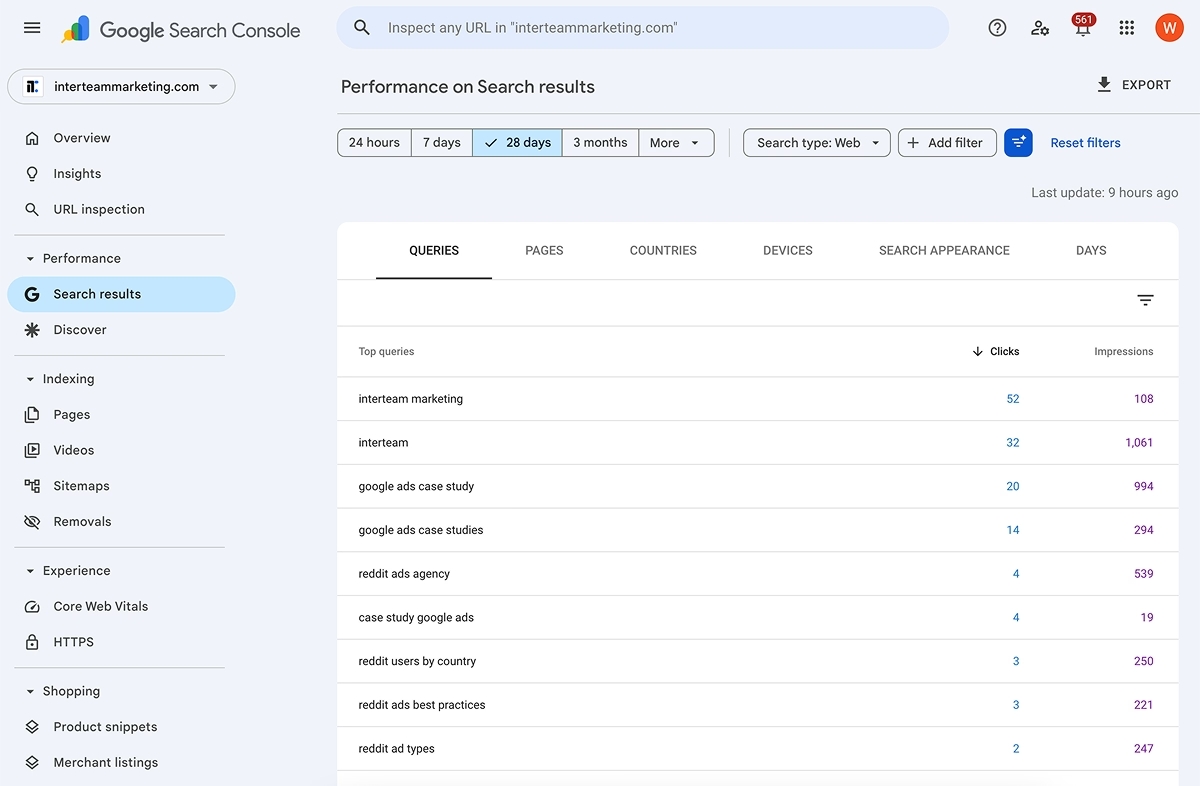
How to Use Google Search Console for Keyword Research
Google search console is a great place to start when doing keyword research because it allows you to see how people search for keywords in your niche and which keywords Google thinks are relevant for your brand. I suggest focusing on queries being pulled for your main service pages and your home page. You can sort by CTR to see terms that searchers have been more likely to click on in the past or average position to see terms that you rank higher for.
Try to compile a list of high-intent keywords while analyzing the results so you can do further research with other tools later on (more on this later).
Step 3: Do Competitor PPC Research
Once you’ve reviewed the site and the search console data, you’ll want to do competitor keyword research. The goal with this exercise is to get a sense of what each of your competitors are spending on to identify strategies your competitors are using that might be worth investing in, or find gaps in their strategies where there might be keywords with less competition.
For competitor keyword research, third-party tools are best since Google doesn’t give you specifics around targeting and budget for other brands.
Different keyword research tools will give you different estimates, so I recommend using multiple tools to get a full picture of the PPC landscape and build out a comprehensive list of keywords. Here are the two competitor keyword research tools that we like the most:
SpyFu

SpyFu is a software built specifically for SEO and PPC competitor research. Enter a competitor's domain, navigate to their PPC Keywords tab, and you can see the keywords they're targeting, the ads they're running, and approximately how much money your competitors are spending every month.
If you’re interested in giving SpyFu a test drive and supporting our blog in the process, click this link to sign up for a free trial!
Semrush
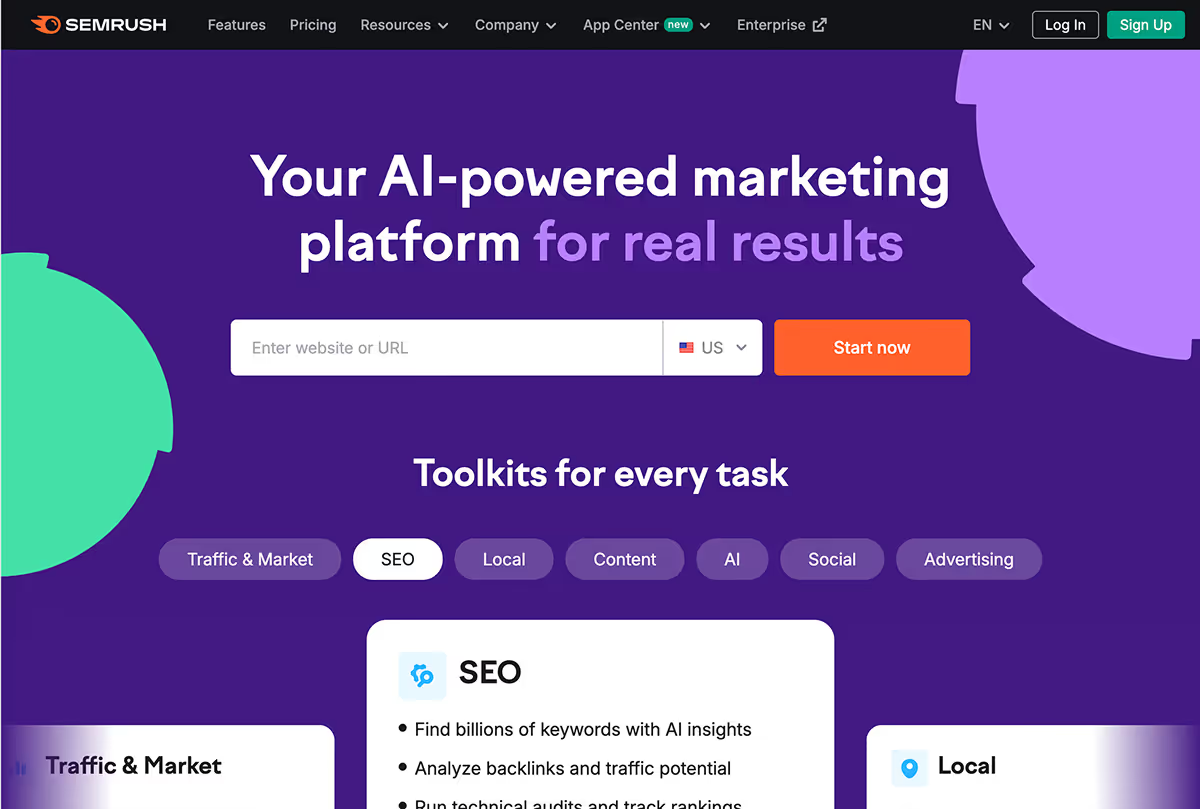
Semrush is another SEO and PPC research software. It’s probably the biggest tool in this space and more famous as an SEO tool, but their PPC research tool is also very strong due to the strength and frequency of its web crawlers. It includes many of the same features as SpyFu, but the interface is slightly more complex. We recommend Semrush for advertisers with more SEO experience.
If you’re interested in testing Semrush and supporting us in the process, click this link to sign up for a 7 day free trial!
Step 4: Build Your Keyword List
Once you have an idea of the types of keywords your competitors are targeting, you’ll then want to start building out your keyword list. To start, you’ll hone in on the keywords that you identified from competitor keyword research and search for those keywords individually on SpyFu and Semrush. This allows you to take keywords that you’ve identified that are worth targeting and expand to include other potentially qualified keywords.
While you build out this list, you’ll want to prioritize high-intent keywords and exclude low-intent keywords. This is the most important judgment call in Google Ads keyword research and will be the difference between getting great leads at a low cost and getting low quality leads at a much higher one.
Here are some tips for finding high-intent keywords and avoiding low-intent keywords.
How to Identify Keywords With High Search Intent
Keywords with high search intent have signals that the searcher is actively evaluating a solution, comparing options, or ready to take action. You’ll want to focus on these keywords because these searchers will have a significantly higher conversion rate than people who are in the informational stage.
Keywords with high search intent have phrase modifiers like:
- Software, tool, system, app, platform (searching for a software solution)
- Best, top, leading, recommended, [company x] vs. [company y] (comparing solutions)
- Pricing, cost, how much (they're close to a buying decision)
- For [specific industry] (a searching for an industry-specific solution)
- Agency, service, firm, specialist, for hire (searching for a service solution)
If you’d like to see some examples of high-intent competitor keywords, like the pricing searches mentioned above, you should check out InterTeam’s Competitor Keyword Generator. You simply need to enter your competitor’s name and the tool will automatically create high-intent competitor keywords for you.
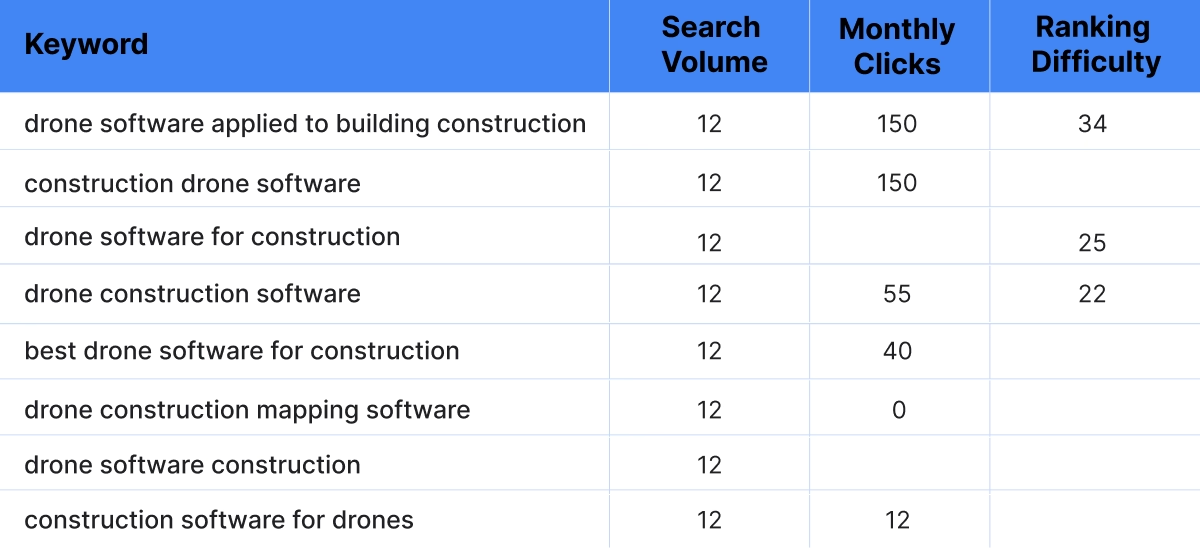
How to identify low-intent keywords
It's equally important to recognize keywords that look relevant but shouldn't be in your paid campaign.
- Cheap/low-price searches: free, cheap, discount, affordable, DIY
- Research searches: what is, how to, definition, examples, guide, tutorial
- Template/resource searches: template, sample, worksheet, checklist
- Job searches: jobs, careers, salary, internship, hiring
- Off-industry or location searches: brand names of unrelated companies or irrelevant geographic qualifiers
Step 5. Build a List of Negative Keywords While Doing Keyword Research
Most advertisers build negative keyword lists reactively. They launch, burn budget on irrelevant clicks, check their search terms, and add negatives after they’ve already wasted money on clicks from these keywords.
Instead of reactively excluding low quality searches, I suggest that you go through your keyword list and build a negative keyword list with low-intent keywords. Even if you don’t target these low-intent keywords directly, Google will probably still pull these searches in with the close variant targeting expansion, so excluding them with a negative keyword list before launch will save you significant wasted spend.
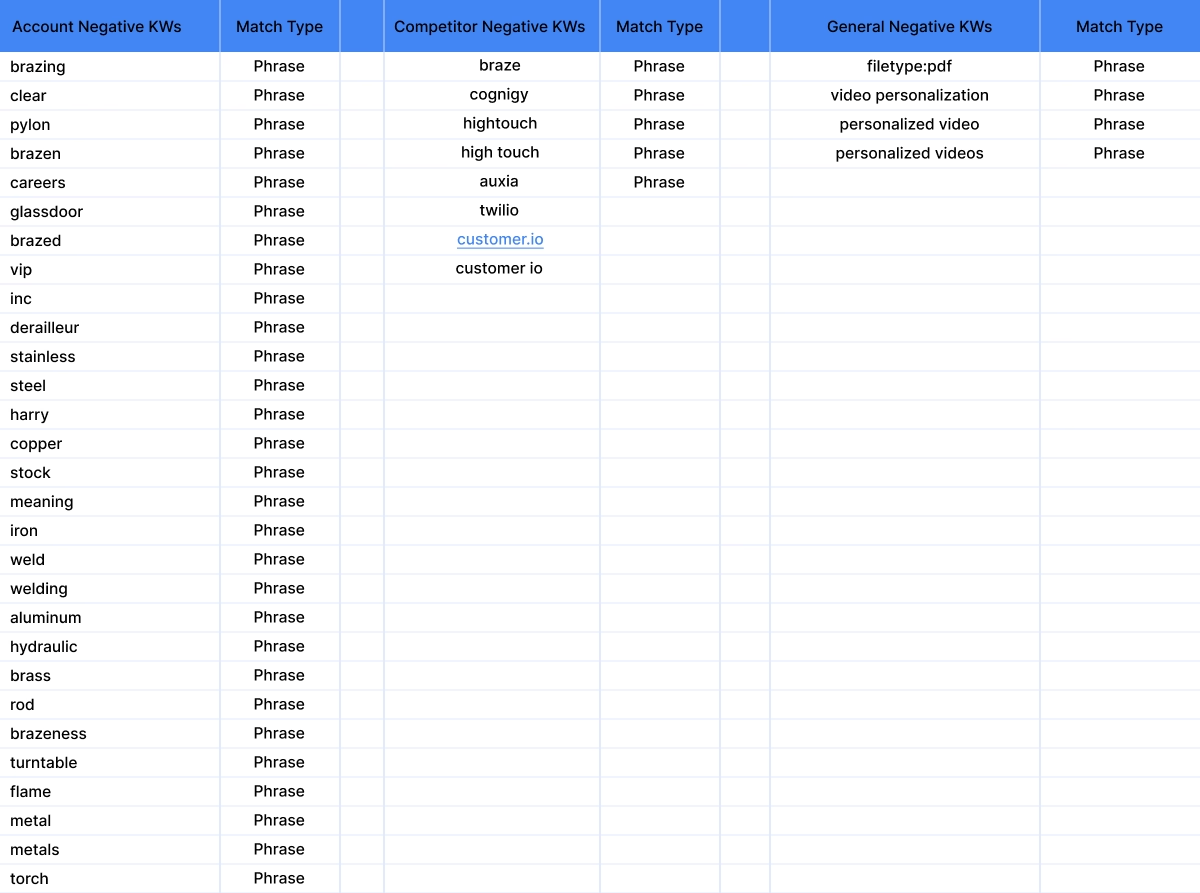
If you’d like to learn more about negative keywords, including what level to add negative keywords and what match type to use for different situations, you should watch our YouTube Tutorial on Negative Keywords in Google Ads.
Step 5: Use Google Keyword Planner to Validate Search Volume and Understand CPCs and Find New Keywords
Once you’ve identified a list of keywords you’d like to target by using the paid tools, you’ll want to then use Google Keyword Planner to expand your targeting and get a better sense of the data behind your keywords.
Third-party tools give you competitive intelligence, but Google’s Keyword Planner is the best source for validating real search volumes, understanding the actual CPC bid ranges, and seeing real trend data for keywords you're considering.
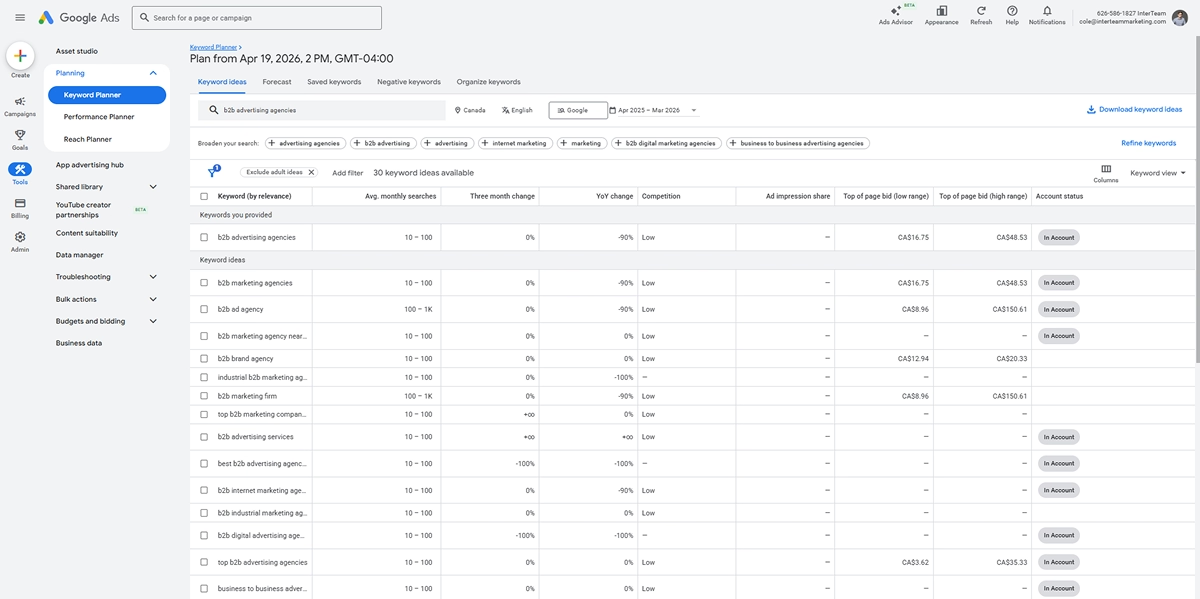
Here's how to use Google Keyword Planner effectively for PPC keyword research:
- Use seed keywords, not your full list. Enter 5–10 core terms representing your primary service categories. Keyword Planner will generate related ideas you may not have considered.
- Set your location targeting before pulling data. Volume varies dramatically by geography. National-level data is useless if you're running a regional campaign.
- Use filters to exclude low-intent keywords from the list. Use keyword filters, like "does not contain “free”, to remove low-intent terms from the list and “Text Match” filter so you’re only showing keywords that actually match the text of the keywords you’re interested in.
- Check 12-month trends, not just monthly averages. Check the last 12 months to see whether keywords are trending up or down. If it’s trending up you can expect more searches in the coming months and plan accordingly.
- Treat CPC estimates as a ceiling, not a target. Google inflates their estimates. If Keyword Planner says $12 per click, plan for $8–10 in reality and use that to set your initial max CPCs before launch.
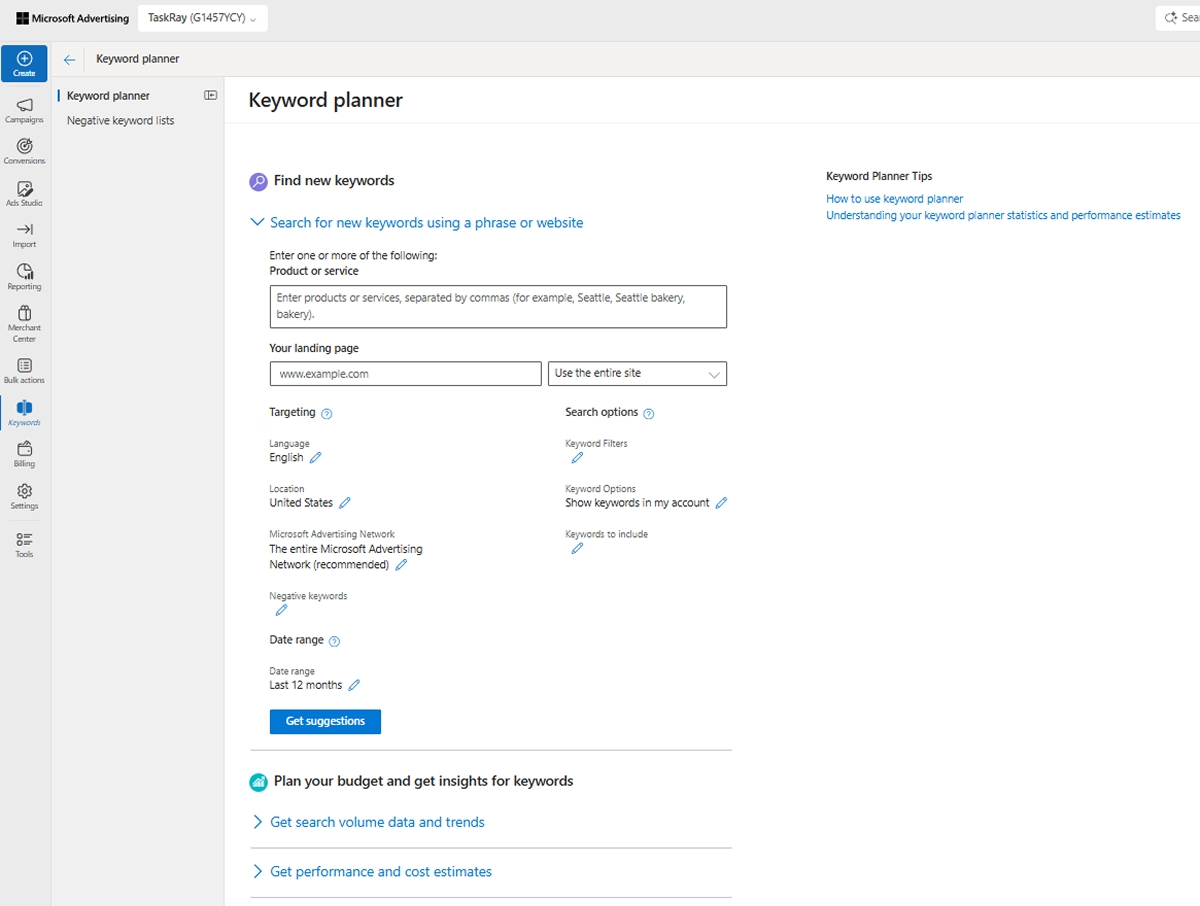
How to Use the Bing Keyword Research Tool
Need to run ads on Bing instead of Google? Don’t worry, Bing has its own keyword research tool called the Microsoft keyword planner. With almost identical filtering criteria to the Google Ads keyword planner. Just make sure to select “Microsoft sites and select traffic” in the Microsoft Advertising Network filter, otherwise your estimates will include non-search platforms like msn.com.
Step 7: Segment Your Campaigns and Ad Groups Based on Intent and Common Phrasing
How you organize your keywords is almost as important as which keywords you choose. If you do this correctly, you’ll optimize your budget for the highest quality keywords, lower your overall CPCs and increase your conversion rates.
Here’s how we segment campaigns and ad groups:
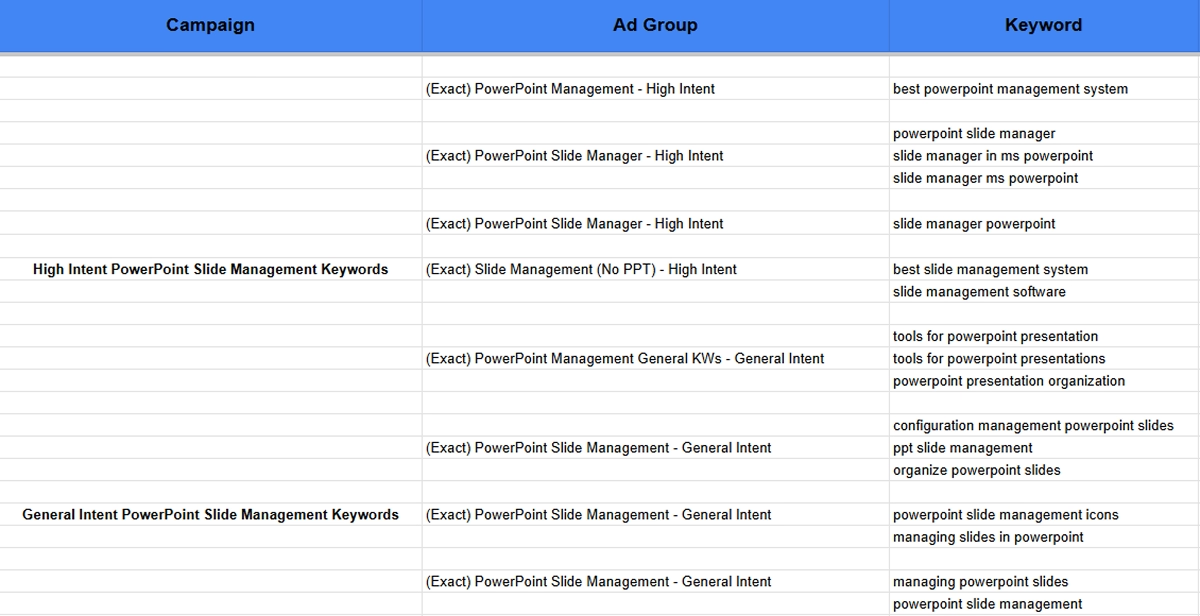
Segment Your Campaigns by Level of Intent
For campaign segmentation, we like to group keywords based on service or products. For example, if you’re targeting a PowerPoint slide management software you’d have all PowerPoint slide management keywords in the same campaign.
So your highest intent keywords are grouped together and you can more easily allocate your spend to them:
- Highest intent ("best powerpoint slide management software," "donation software pricing"): Set max CPCs toward the higher end of Keyword Planner's estimates. These clicks are worth more.
- General ("powerpoint slide management" "nonprofit donation platform"): Set max CPCs in the mid range. Still strong buyers, slightly earlier in their search.
Organize Your Ad Groups by Keywords With Similar Phrasing
For ad group segmentation, you’ll want to make sure that you have keywords with similar phrasing organized into the same ad groups. This allows you to optimize your ad copy and landing pages for the keywords that you’re targeting.
Segmenting your ad groups like this improves your Keyword Quality Score, the main factor that Google uses in determining how often your ads will show and how expensive your CPCs are, which will reduce your cost per lead and it will also improve your conversion rates by aligning your experience across the marketing funnel.
For example, people searching for “powerpoint slide management software” should see ads with “powerpoint slide management software” in the copy and landing page and people searching for “powerpoint slide manager” should be shown ads with “powerpoint slide manager” in the copy and landing page. Thus each of these keyword groupings would need different ad groups.
Why Exact Match Is Worth the Extra Research
Most advertisers default to broad match targeting because it requires less upfront work. You add a few keywords and Google handles the rest. The problem is that Google will now expand outside of your targeting with “semantic match” keywords, aka keywords with similar meanings to the terms you’re targeting. The problem here is often Google will find search terms that have nothing to do with the keyword you’re targeting, like showing your ad on search terms for "how to donate to charity" or "donation tax receipts." when you’re targeting "donation software".
We'd rather do the research before spending than discover after launch which searches we should have excluded. Exact match targeting requires a more complete keyword list up front, but it gives you far greater control and far less wasted spend from day one.
For a deeper breakdown of when to use each match type and why, read our Google Ads Keyword Match Types Guide.
Don’t Forget to Keyword Optimize Your Landing Page
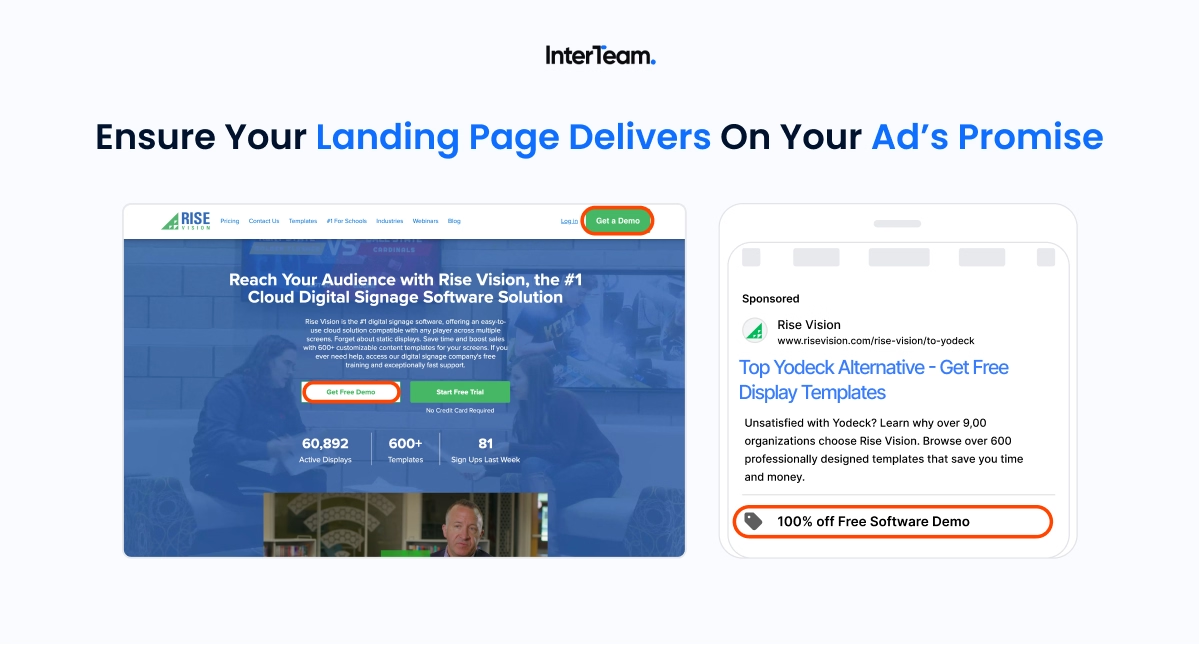
Keyword research doesn't end when you build your list. It informs where you send traffic. And this is where a lot of campaigns leave significant performance on the table.
Generic website pages, even well-designed ones, rarely convert paid traffic efficiently. Navigation menus, multiple CTAs, off-page links, and unfocused messaging all work against conversion. A dedicated landing page, optimized specifically for the keywords you’re targeting will lead to lower CPCs and significantly higher conversion rates.
Conclusion
The campaigns that consistently produce qualified leads aren't built on keyword lists thrown together in an afternoon. They're built on research: competitive intelligence from the right tools, careful filtering for purchase intent, proactive negative keyword development, and ad group structures that match the precision of the research behind them.
Done right, keyword research isn't a launch checklist. It's a competitive advantage. Your competitors are bidding on broad, loosely related terms and wondering why their CPCs keep climbing and their conversion rates keep dropping. You're bidding on exactly the searches that the right buyer makes at the exact moment they're ready to move.
Having trouble with keyword research? We’ll do it for you. Just fill the form on our website to request a free ad strategy proposal!
FAQs
Template question
Template text answer



Want to see if paid ads would work for your business?